Save Time as an Airbnb Host with a Smart Lock
For Airbnb hosts, a smart lock automates the most time-consuming part of short-term rental, coordinating key handover with guests, cleaning crews, and maintenance teams, without ever touching a physical key. Instead of phone calls to arrange meetings, handing over keys, and collecting them again, you manage access remotely, with time limits, and with a full log. This post explains where the time savings come from and how to set the system up.
Where the time goes in short-term rental
Most of the operational load concentrates at one point: access coordination. Each reservation may require arranging a meet with the guest, ensuring the cleaning team has the right window, and sometimes handling a separate entry for maintenance or a courier. With more than one property, this load grows fast.
A smart lock converts this coordination from manual messaging into defined rules. Access is managed with digital keys that specify who can enter, for what period, and when, no physical presence required on your end.
How a smart lock reduces operational load
Core time-saving features:
- Remote door open: Open the door from anywhere with an internet connection. Handle unexpected situations from your phone without going there.
- Time-restricted access: Give the cleaner or carer a digital key valid only on specific days and hours. The team arrives on their own schedule; you don't need to coordinate each visit.
- Single-use code: Create a one-time or time-limited PIN via Keypad 2 for a courier or delivery. The code expires automatically after use.
- Activity log: Every door open and close is recorded with the user's name and a timestamp. Verify whether the cleaning team came and when, without calling anyone.
Scheduled access for cleaning and maintenance
The invisible load in short-term rental is often the cleaning turnaround. With a time-restricted digital key, you give the cleaning crew access only during the window between check-out and the next check-in. The team arrives within that slot, the door stays locked otherwise, and you see the activity log to confirm the work was done. No key copies, no handover, no retrieval.
Hardware setup
Three components, all mounted to the existing door without modification:
- Smart Lock Pro (5th Gen): Built-in Wi-Fi for remote control and logging without a Bridge. Matter compatible, stainless-steel body, installs in around 5 minutes.
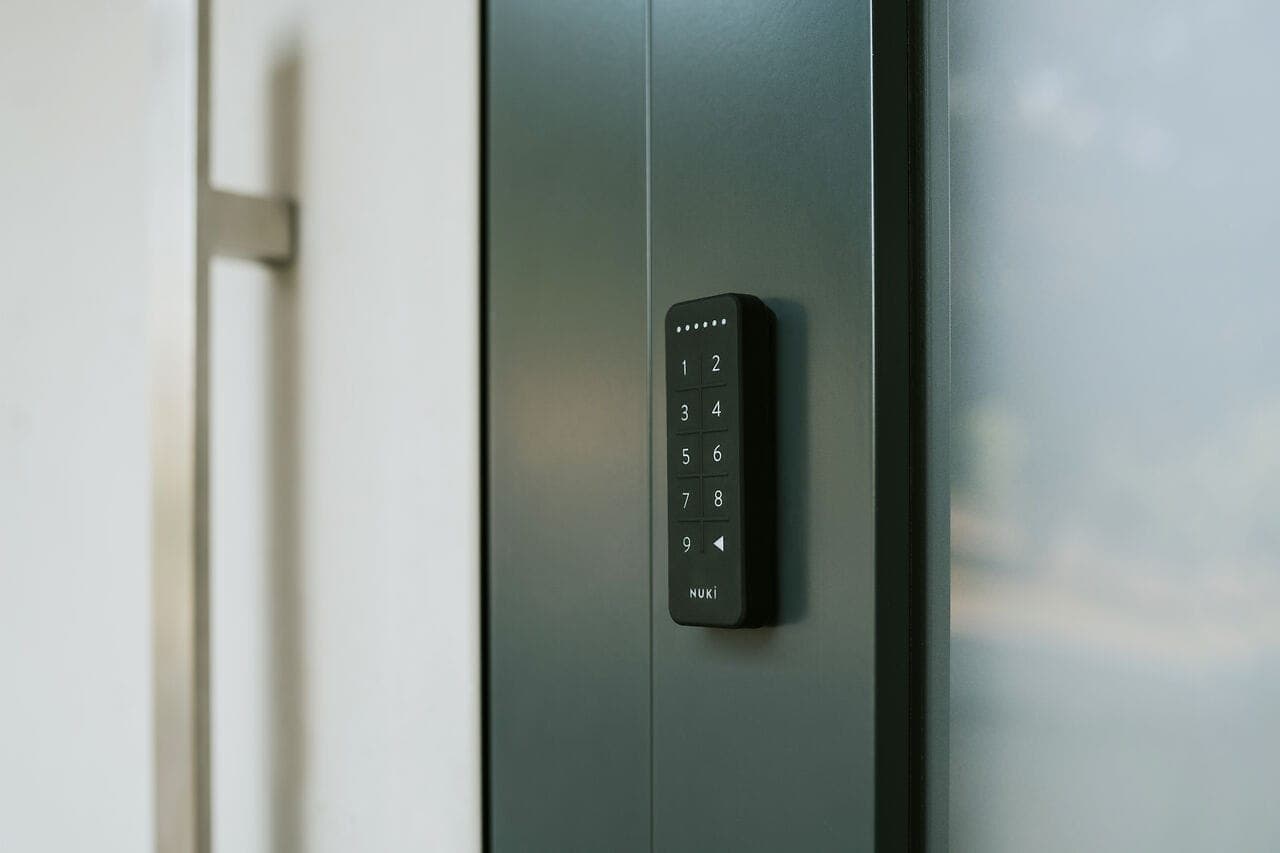
- Keypad 2: Guests and staff enter via PIN without a phone app. 200 PIN capacity is sufficient for high-turnover properties; outdoor-rated.
- Nuki Bridge: Connects smart lock models without built-in Wi-Fi to the internet; enables remote access and logging on those models.
For multiple properties, one lock per door, Keypad added for shared PIN management. All locks managed from a single app.
First steps after installation
After mounting the lock and pairing it in the app:
- Define permanent time-restricted access profiles for the cleaning and maintenance team
- Create a single-use PIN template for couriers
- Set up a routine for reviewing the activity log
Once these three are in place, the majority of daily access coordination runs on its own.
Scaling to full automation
For hosts moving beyond individual apartments, connect access management to your booking flow. Nuki Smart Hosting targets exactly this layer: direct integration with Airbnb, Smoobu, Guesty, and other platforms, with access automatically created and timed from reservation data. For larger accommodation businesses, hotel and guesthouse solutions cover a different scale.
At any size, the logic is the same: remove recurring manual access work from your plate, and direct that time toward your property business instead.
Start with Smart Lock Pro and add Keypad and Bridge as the operation grows.