Nuki Keypad 2.0: Fingerprint and PIN Code Entry Guide
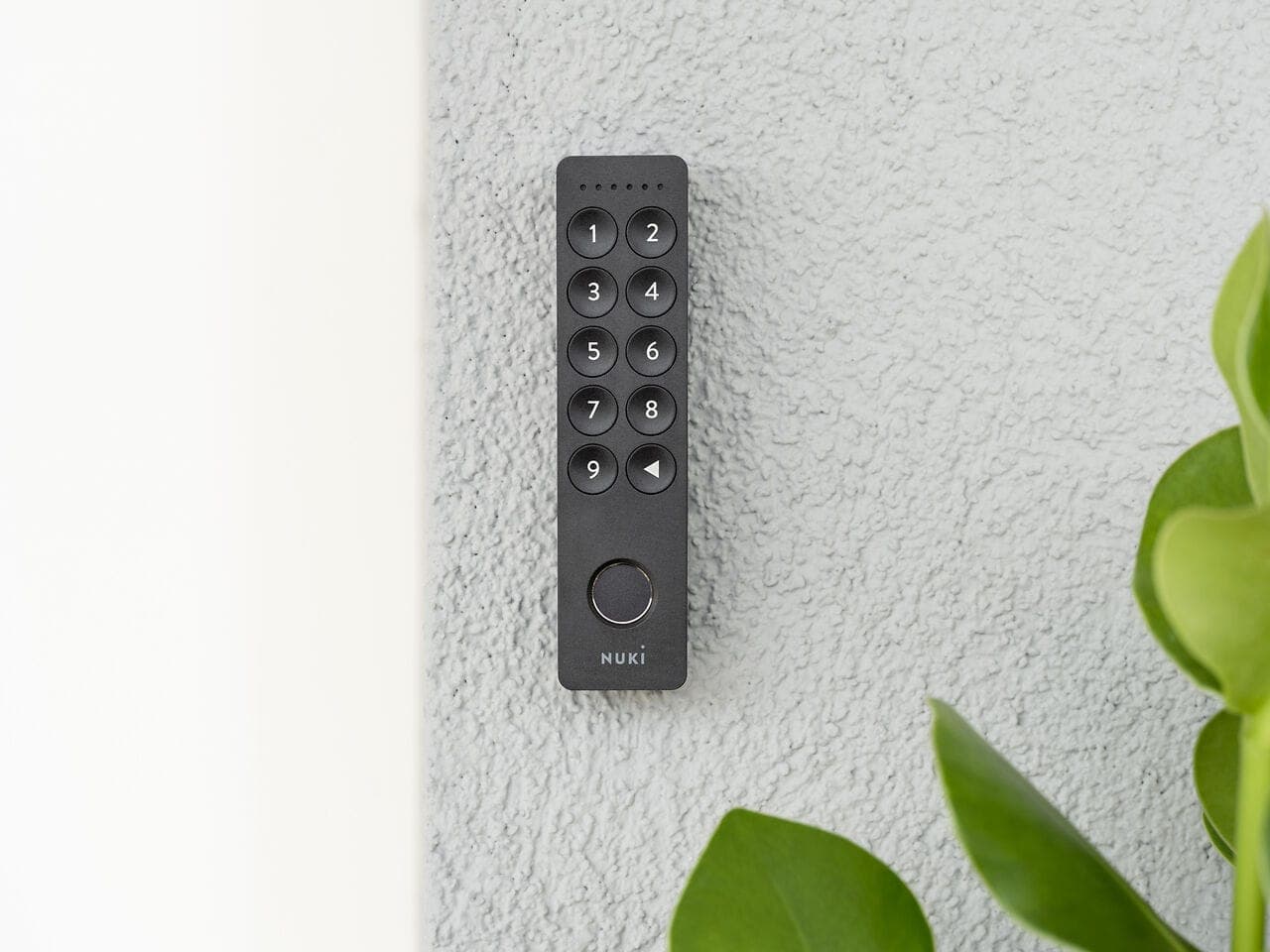
What is the Nuki Keypad 2?
Nuki Keypad 2 is an outdoor access device that mounts alongside your smart lock. It lets you open the door with a fingerprint or PIN code even when your phone isn't with you. It mounts on the outside of the door and communicates with the Nuki smart lock over Bluetooth.
You may not always want to carry your phone while exercising, shopping, or working in the garden. Children, elderly household members, and anyone less comfortable with smartphones may also need a phone-free entry method. Nuki Keypad 2 is built exactly for these situations.
Fingerprint entry
Keypad 2's standout feature is its capacitive fingerprint reader. A single touch of the sensor unlocks the door in under one second.
Fingerprint specs
- Capacity: 20 fingerprints
- Recognition speed: Under 1 second
- Enrollment: Done through the Nuki app
- Management: Each fingerprint can be added or deleted individually
Enrollment is handled in the Nuki app. Go to the "Keypad" section, select "Add Fingerprint," and follow the prompts to touch the sensor a few times. Separate fingerprints can be set up for each family member or authorized person.
PIN code entry
In addition to fingerprints, Keypad 2 supports 6-digit PIN codes. Codes fit different scenarios:
PIN code types
- Permanent code: Indefinitely valid for family members and regular users
- Temporary code: Valid within a specific date range for guests or service providers
- Single-use code: Valid for one use only, for couriers or one-time visitors
PIN code capacity
- Total capacity: 200 codes
- Code length: 6 digits
- Time restriction: A start and end date can be set for each code
A capacity of 200 codes is a major advantage for short-term rental managers. Each guest gets a unique code that expires automatically at check-out.
Installation guide
Step 1: Choose a mounting location
Keypad 2 mounts on the outside of your door at lock height, within easy reach. The device carries an IP53 rating, making it resistant to rain and dust.
Step 2: Physical mounting
Use the mounting plate and screws included in the box to fix the Keypad to the wall. Adhesive mounting is also available, ideal for tenants, no wall damage.
Step 3: Pair in the Nuki app
Open the Nuki app and use "Add Keypad." The app detects the nearby Keypad automatically. Pairing completes in a few minutes.
Step 4: Define fingerprints and codes
Once paired:
- Enroll fingerprints (individually per user)
- Create PIN codes (permanent, temporary, or single-use)
- Set access hours for each user as needed
IP53 outdoor protection
Keypad 2 carries an IP53 rating:
- IP5x, Dust protection: Guarded against dust ingress
- IPx3, Water protection: Withstands vertical rain and splashing
This protection level ensures reliable operation in outdoor conditions: rainy weather, hot summers, or cold winters.
Security features
Keypad 2 includes multiple security measures:
- Wrong-attempt lockout: The device temporarily locks after repeated failed entries
- Encrypted communication: Bluetooth traffic between Keypad and lock is encrypted
- Fake fingerprint protection: The capacitive sensor responds only to a real finger
- Tamper detection: Alert if someone attempts to remove the device
Use cases
Family use
Assign a separate fingerprint or PIN to each family member. Children can use their fingerprint when they get home from school; elderly relatives can use a familiar PIN.
Short-term rental
Create a temporary PIN for each guest, valid only during their reservation dates. The code deactivates automatically at check-out. Pair with Nuki Bridge and Smart Hosting to automate this process end to end.
Office and workplace
Give employees fingerprint access; create temporary codes for visitors. Automatically restrict access outside working hours.
Cleaning and maintenance staff
Set time-restricted codes, for example, valid only on the days and hours the cleaning team is scheduled.
Keypad 1 vs Keypad 2
| Feature | Keypad (1st Gen) | Keypad 2 |
|---|---|---|
| PIN code | Yes | Yes |
| Fingerprint | No | Yes (20) |
| NFC | No | Yes |
| Code capacity | Limited | 200 |
| Outdoor protection | IP44 | IP53 |
Battery and maintenance
Keypad 2 runs on batteries. Battery life varies by usage intensity but is rated for a long service period. The Nuki app notifies you when the battery is running low. Replacement is straightforward using standard batteries.
FAQ
Is Keypad 2 compatible with all Nuki locks?
Yes, Keypad 2 works with all Nuki Smart Lock models (Go, Pro, and Ultra).
Does the fingerprint sensor work with wet hands?
The capacitive sensor functions with slightly damp hands. Very wet or dirty hands may reduce recognition accuracy: in that case, use a PIN code instead.
Does it work in freezing temperatures outdoors?
Keypad 2 is designed to operate across a wide temperature range. The IP53 rating ensures it holds up in outdoor conditions.
If the Keypad is broken, can someone open the door?
No. Keypad is only an input device: it sends an open command to the lock over Bluetooth. Breaking the Keypad itself does not physically release the lock.
What does the NFC feature do?
NFC-enabled cards or key fobs can open the door with a tap. Compatible NFC devices are paired through the Nuki app.
Nuki Keypad 2 is available for 9,990 TL at nuki.com.tr.